


Email authentication is essential to safeguard your domain against spoofing, phishing attempts, and email delivery issues. Using an SPF checker simplifies the process of confirming that your domain’s Sender Policy Framework (SPF) record is set up properly. It helps pinpoint authorized senders and identifies common errors in DNS or SPF configurations. By routinely checking your SPF records and resolving problems like duplicate entries, incorrect syntax, and excessive DNS queries, you can enhance email security and increase the likelihood that legitimate emails land in the inbox.
What SPF Is and Why It Matters for Email Authentication
Sender Policy Framework in plain terms
Sender Policy Framework, commonly shortened to SPF, is an email authentication method that tells receiving mailbox providers which mail server, platform, or third-party email service is allowed to send mail for a domain name. In practice, a domain publishes an SPF record as a TXT record in DNS, usually beginning with v=spf1, followed by mechanisms that define authorized IP addresses and approved sending sources.
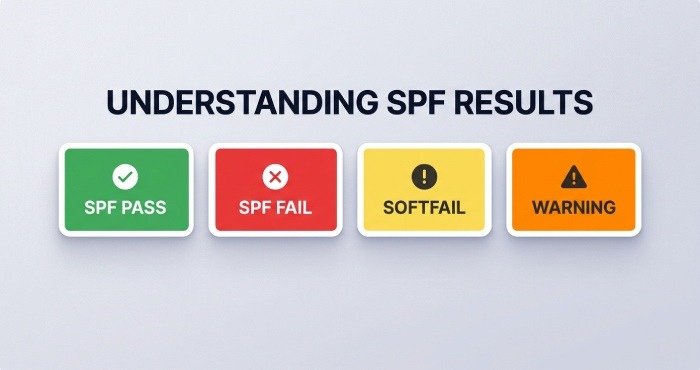
A receiving server performs an SPF check by comparing the connecting email source against the domain’s SPF policy. If the sender matches the authorized IP addresses in the SPF record, the message can receive an SPF pass. If it does not match, the result may be SPF fail, softfail, neutral, or another SPF warning depending on the all mechanism and policy design.
Why SPF supports DMARC and DKIM
SPF works best alongside DKIM and DMARC. DKIM, or DomainKeys Identified Mail, adds a cryptographic signature to verify that a message was not altered in transit. DMARC then uses SPF and DKIM alignment to help domain owners define how mailbox providers should handle suspicious mail.
A correct SPF record improves email deliverability because it gives each mailbox provider a reliable way to verify the return-path address. A weak or missing SPF record can allow a fraudulent sender to abuse your domain, damaging email security and brand trust.
How an Online SPF Checker Works
From domain lookup to SPF validation
An online SPF checker performs an SPF lookup by querying DNS for the domain’s TXT record. The SPF validator checks whether an SPF record exists, confirms that it starts with v=spf1, and evaluates the mechanisms that identify authorized IP addresses.
Tools such as MXToolbox, EasyDMARC, and other SPF checker tools simplify this process. For example, an administrator can run an MXToolbox SPF record checker to verify whether a domain has a valid SPF record, whether the DNS response is readable, and whether the configuration creates obvious SPF errors.
The SPF lookup process usually checks:
- Whether the SPF record exists as a TXT DNS record
- Whether there is more than one SPF record, which causes SPF validation problems
- Whether the SPF syntax is valid
- Whether the include tag, ip4 tag, ip6 tag, mx tag, redirect mechanism, and all mechanism are correctly structured
- Whether the SPF tree exceeds the DNS lookup limit
A reliable SPF validator also identifies nested includes such as spf.google.com, spf.protection.outlook.com, or records used by a third-party email service.
What a good SPF report tells you
A useful SPF report does more than display the raw TXT value. A strong SPF diagnostic tool explains how the SPF policy will behave when a receiving mail server performs an SPF test. It should show whether the result is likely to be SPF pass, SPF fail, neutral, softfail, or a warning.
For example, an EasyDMARC SPF lookup can help administrators visualize SPF validation results and understand where sending sources are authorized. This is especially valuable when a company uses multiple systems, such as Google Workspace for employee mail, Microsoft 365 for some business units, and a marketing automation platform for newsletters.
The best SPF checker output helps answer three core questions:
Is the domain authorizing the right senders?
Every email sender listed in the SPF record should be a legitimate email source. If an old vendor, unused marketing platform, or retired mail server remains authorized, that entry can weaken email security.
Is the policy strict enough for protection?
An SPF record ending in ~all creates a softfail, while -all creates a stronger SPF fail instruction. The right choice depends on SPF deployment maturity, but a permanent soft policy may reduce the value of email spoofing prevention.
Common SPF Record Errors That Affect Deliverability
SPF syntax and mechanism mistakes
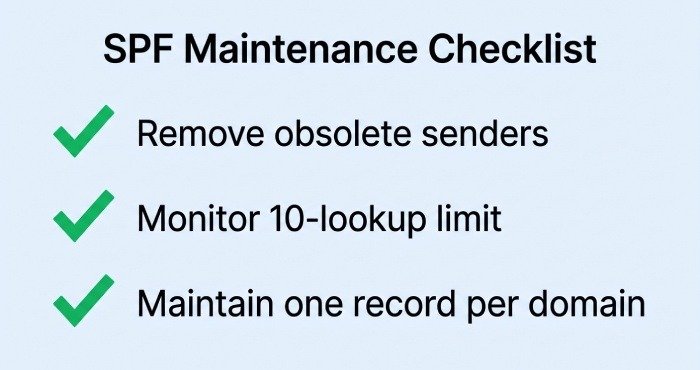
SPF errors often come from small formatting problems. A common SPF syntax error is publishing two separate SPF records instead of combining mechanisms into one record. The SPF standard requires only one SPF record per domain. According to RFC 7208 and SPF’s limitations, SPF also has a 10-DNS-lookup limit, which can be exceeded by too many include, mx, a, redirect, or nested mechanisms.
Common SPF record mistakes include:
- Missing v=spf1 at the beginning
- Incorrect IPv4 or IPv6 formatting in the ip4 tag or ip6 tag
- Using an include tag for a provider that no longer sends mail
- Misplacing the all mechanism before other mechanisms
- Creating a redirect mechanism that points to a broken or unrelated SPF policy
- Publishing SPF as the wrong DNS record type instead of TXT
An SPF diagnostic tool should flag these issues clearly. A good SPF check should also warn when the SPF tree becomes too complex, because large trees can break SPF validation at scale.
Provider and DNS design issues
Some deliverability problems are not caused by SPF syntax alone. They happen because the business forgets to update DNS after adding or removing a third-party email service. For example, if a company starts sending invoices through a new platform but does not add that provider to the SPF record, the receiving mailbox provider may mark those messages as suspicious.
The reverse is also risky. If a former vendor remains in the SPF record, that provider may still be treated as an authorized email source. This creates unnecessary exposure if the vendor account is compromised.
Tools such as DNSChecker SPF record validation are helpful for confirming global DNS visibility. Propagation differences can affect SPF validation, especially after a DNS hosting provider or domain registrar update.
When SPF passes but deliverability still suffers
An SPF pass does not guarantee inbox placement. Email deliverability also depends on sender reputation, DMARC alignment, DKIM validity, complaint rates, content quality, and recipient engagement. Verizon, Google, Microsoft, and other Mailbox Providers use many signals beyond SPF.
Using SPF Checker Results to Improve Domain Email Security
An SPF checker is most valuable when its results lead to action. Start by comparing the SPF report against your real sending inventory. List every platform that sends mail for the domain, including corporate mail, billing systems, CRM platforms, ticketing tools, and marketing services.
Then map each sending source to the SPF record. Confirm that every provider is represented by the correct include tag, ip4 tag, ip6 tag, mx tag, or approved mechanism. For example, Google Workspace may require Google SPF guidance, while Microsoft 365 commonly requires include:spf.protection.outlook.com.
An SPF validator can also help identify risk levels:
- SPF pass: the email source matches authorized IP addresses
- SPF fail: the email source is not authorized by the SPF policy
- SPF warning: the SPF record may work but contains deliverability or security concerns
- SPF errors: the SPF record may be invalid, duplicated, or too complex
Strengthening policy without breaking legitimate mail
Avoid moving immediately to a strict -all policy unless all sending sources are known and tested. The goal is to block the fraudulent sender without rejecting real business messages. This requires careful analysis of email header data, return-path address alignment, and DMARC aggregate reporting.
Best Practices for Maintaining SPF Records Over Time
SPF is not a one-time configuration. Every new email sender, vendor migration, or infrastructure change can affect SPF validation. Periodic monitoring is essential because authorized IP addresses change, third-party email service providers update their include records, and business teams often adopt new sending platforms without notifying IT.
Use a routine SPF check schedule—monthly for stable environments and more often for high-volume senders. Tools such as the PowerDMARC SPF record lookup can help teams verify whether an SPF record remains valid after changes to DNS, marketing systems, or mail infrastructure.
Recommended maintenance practices include:
- Keep one authoritative SPF record per domain name
- Document every approved mail server and email sender
- Remove obsolete sending sources quickly
- Review the SPF tree for DNS lookup limit risk
- Test changes before publishing them in production DNS
- Coordinate SPF, DKIM, and DMARC changes together
- Recheck SPF validation after every domain registrar or DNS hosting provider update
For organizations with many domains, an SPF diagnostic tool should be part of a broader email authentication program. A practical workflow includes SPF lookup, DKIM verification, DMARC policy review, and mailbox provider testing. When managed consistently, Sender Policy Framework helps protect the domain from email impersonation, strengthens email security, and improves deliverability for legitimate messages.