

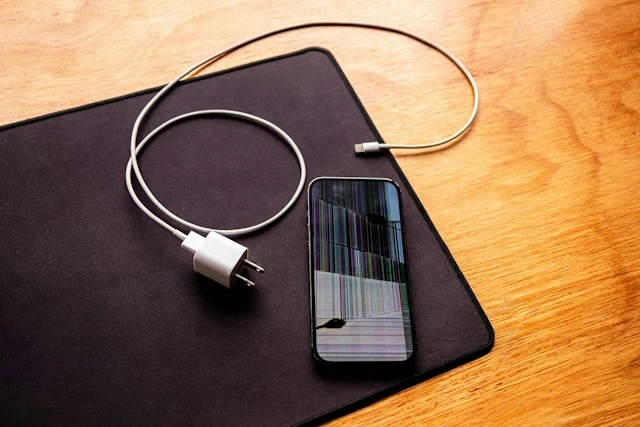
You deleted an album to clear up storage, and about ten seconds later realized your kid’s entire first birthday was in it. Or you hit “Delete Conversation” on the wrong thread and lost two years of messages with a friend who’s since moved to another country. Or, worst case, you meant to factory reset your old phone and somehow did it to the one in your hand.
However it happened, take a breath first. Your iPhone doesn’t actually erase anything the second you tap delete. It’s more like the space just gets marked as “fine to write over later.” Until something new actually lands on top of it, there’s a real shot at getting it back.
But that window doesn’t stay open forever. Every photo you take, every app that updates itself, every text you send after the fact, all of it chips away at your chances. So before anything else, here’s what actually matters.
Put the Phone Down (Sort Of)
This sounds dramatic, but it’s the single biggest thing you can do. Switch to airplane mode if you can stand it, and hold off on taking new photos, downloading apps, or doing much of anything that writes fresh data. Turn off Wi-Fi too, since background syncing and auto-updates count even if you’re not actively doing anything.
And don’t restart the phone five times or run some storage-cleaner app “just to be safe.” Those are exactly the kind of things that write new data and shrink your window without you noticing.
Check the Obvious Spots First
Before you go looking for software, rule out the easy stuff. It genuinely fixes this for a lot of people.
Open Photos, go to Albums, scroll down to Utilities, and check Recently Deleted. Anything you deleted in the last 30 days is probably sitting right there, with Live Photos and videos even showing you a little countdown. I’ve lost count of how many “emergencies” turned out to be exactly this.
Notes and Voice Memos work the same way — both have their own hidden trash folder that holds items for 30 days. Worth a look before you assume anything’s actually gone.
Then there’s your backups. If you back up to iCloud or your computer, the file you lost might just be sitting on an older backup. The annoying part is that restoring a backup to your phone wipes out everything currently on it, so you’d lose anything you’ve done since. It’s an option, but a heavy-handed one, and it’s no help at all if your last backup is from three months ago or you’d rather not lose recent stuff.
That gap right there — between “check the trash folder” and “wipe my whole phone and start over” — is where most people get stuck. And it’s exactly where recovery software actually earns its keep.
The Middle Ground Nobody Tells You About
A backup restore is all or nothing. Roll everything back, or don’t touch it. What you usually want is much narrower than that: just the one album, just that one thread, without undoing everything else you’ve done on your phone since.
This is where I’d point you toward Stellar Data Recovery for iPhone. Rather than forcing a full restore, it scans your device (or a backup you already have) and shows you what it can find, so you can pick out individual photos, messages, contacts, or notes without touching anything else on the phone.
A few things about it stood out to me as actually useful, not just marketing:
• It can scan the phone directly, which matters if you don’t have a recent backup at all. No backup doesn’t automatically mean no hope.
• It also reads iTunes/Finder if you do have one, so you can cherry-pick items out of it instead of nuking your current setup to restore the whole thing.
• You get to see what it found before you commit to anything — thumbnails for photos, actual message content for texts — so you’re not paying for a mystery box.
• It’s not just photos, either. Messages, WhatsApp chats, contacts, call history, voicemails, and notes are all covered, which matters because photos usually aren’t the only thing people are panicking about.
• You run it from a Mac or PC with the phone plugged in by cable, which keeps the actual recovery work off the phone and avoids writing anything new to it while you’re working.
The one catch is that actually saving the recovered files needs a paid license — the scan and preview and 10 photos and videos are free to recover from any iOS device, so at least you know whether your stuff is recoverable before you pay a cent. For something like irreplaceable family photos, that’s usually a fair trade to make.
If You’d Rather Try Free First
Fair enough — here’s what’s realistic without spending anything.
iCloud.com has its own Recently Deleted section for photos, separate from the one on your phone, so check there too if your device’s local trash has already been emptied.
If you ever had Google Photos or another backup app running quietly in the background, check that before assuming Apple’s the only place your stuff could be.
For deleted texts or WhatsApp chats, the person on the other end of the conversation might still have theirs. Not elegant, but free, and it works more often than you’d think.
And if the missing thing is tied to a purchase, subscription, or your Apple ID rather than a file sitting on your phone, Apple Support can sometimes help there, even though they can’t manually restore an individual photo for you.
None of these have the precision of dedicated software, but they’re free, so it’s worth running through them before you decide your only options left are a paid tool or a full reset.
What to Actually Do, in Order
Stop using the phone actively — airplane mode if you can. Check Recently Deleted in Photos, Notes, and Voice Memos. Check iCloud.com separately, since it’s not always in sync with what’s on the device. If you’ve got a recent backup and don’t mind losing anything created since, restoring it is an option. And if you need something more surgical, or there’s no backup to fall back on, run a scan with something like Stellar Data Recovery for iPhone and see what turns up before you decide anything drastic.
So This Doesn’t Happen Again
A little bit of setup now saves a lot of panic later. Turn on iCloud Photos so your library isn’t living in just one place. Set your phone to back up automatically whenever it’s plugged in and on Wi-Fi. Get into the habit of glancing at Recently Deleted before it empties itself rather than after. And before you factory reset any device, for any reason, read the confirmation screen twice. That one habit alone has saved more people than you’d guess.
Losing something off your iPhone feels permanent in the moment, but most of the time it really isn’t. Between Apple’s own trash folders, your backups, and recovery tools built for exactly this situation, there’s usually a path back. The only thing working against you is time — so the faster you stop scrolling in a panic and actually think, the better your odds.