


In most rail journeys, paying for the ticket takes only a few minutes of a much longer process. Before it, a passenger weighs trains, classes and fares. After it comes the waitlist updates, the chart wait, and, on travel day, the question of where the train has reached.
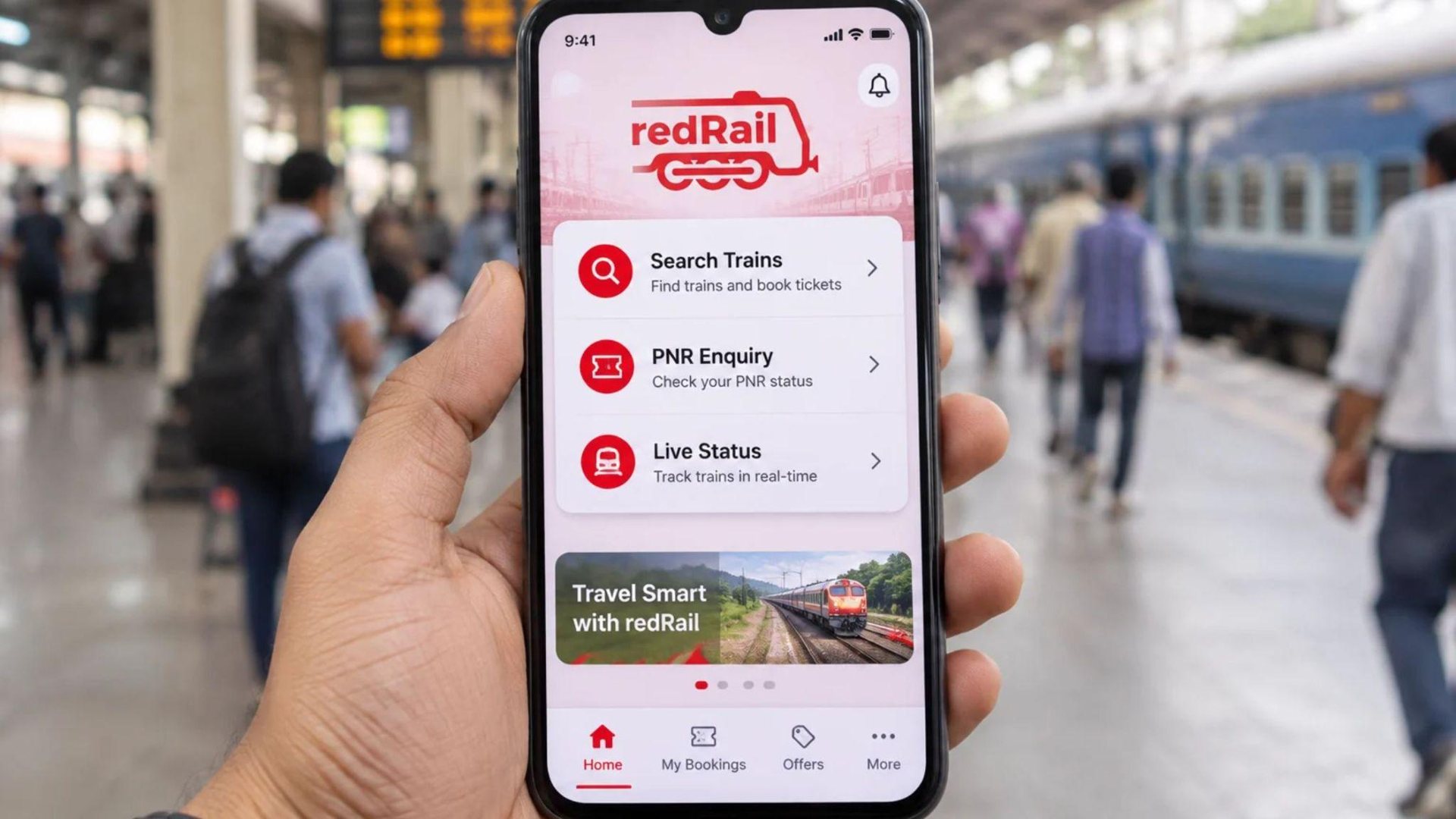
Answers to these questions once came from several places: enquiry numbers, separate websites and the display boards at stations. redRail, the IRCTC-authorised train booking platform, now brings the search, the reservation and the updates that follow onto one website and one app.
How Do Passengers Search for and Compare Trains?
A search needs three details: the boarding station, the destination and the date of travel. The results show each train on the route, its departure and arrival times, the classes it carries and the fare in every class. For each class, a seat status code is shown:
- AVL: Seats are open for booking.
- RAC: Reservation against cancellation, with travel on a shared berth.
- WL: The class is on a waiting list.
- Regret: No further bookings are accepted for that class on that date.
The figures are sourced from IRCTC, and train pages state when they were last refreshed. Those pages also set out fares and seat status for the coming days, which helps passengers with flexible plans.
Options When Direct Trains Are Full
A waitlist on the preferred train need not end the search. The platform offers the following tools for this situation:
- redRail Confirm: Checks whether the same train has free seats when booked from an earlier station on its route. The passenger boards at their own station but pays the fare from the station where the seat was located. Existing waitlisted tickets are not converted.
- Connecting Trains: Puts forward journeys on two trains, joined at an intermediate station, with seats available on each leg.
- Confirmation estimate: For waitlisted bookings, redRail shows the likelihood of confirmation, based on earlier booking trends. This figure is an indication only, and the final outcome may differ.
Completing a Booking Through an IRCTC Account
Train booking on redRail runs through the IRCTC account a passenger already holds. The process follows four steps:
- Choose a train and class, then log in with the IRCTC user ID.
- Fill in the traveller details.
- Pay through UPI, a debit card or a credit card.
- Enter the IRCTC password to complete the reservation.
The e-ticket arrives by email and SMS. Since IRCTC issues every ticket, the booking also shows up in the passenger’s IRCTC history.
At checkout, two optional add-ons are available for selected trains and classes:
- Free Cancellation: Waives the railway deduction on a ticket cancelled before the chart is prepared. The add-on fee and some other charges remain non-refundable.
- Alternate Trip (Confirm or 3X Refund): Meant for waitlisted tickets. If the ticket is still fully waitlisted once the chart is prepared, the passenger receives three times the fare, with one portion credited to the original payment method and the balance issued as a travel voucher.
As neither add-on fee is returned, passengers are advised to select them only where the relevant risk exists. Offers running at any given time are listed on the offers page and in the app; usually only one code can be used per booking.
Managing Tickets and Tracking the Journey
After the ticket is issued, the following tools remain available on both the website and the app:
- My Bookings: Keeps every ticket booked on redRail. Passengers can view the reservation, cancel it online if plans change and check where a refund stands.
- PNR status: Shows the status at the time of booking next to each passenger’s current status, along with coach and berth numbers after confirmation and whether the chart is ready. Any valid 10-digit PNR can be checked, including tickets bought on other channels.
- Live running status: Gives the train’s current location, the last station it crossed, expected times at the stations ahead, any delay and the platform at each stop.
- Coach position: Available in the app for a chosen station. According to the store listing, running status can also be viewed without an internet connection.
- WhatsApp chatbot: Answers passenger queries on PNR status, running status, coach position and train schedules.
The Value of Keeping Information in One Place
The benefit is most visible on the evening before charting or in the last half hour before the train reaches the boarding station. With a waitlisted ticket, a passenger can watch its movement, look at redRail Confirm or Connecting Trains if it does not clear, and then follow whichever train is finally taken on the same platform. Family members meeting the passenger can check the same page before leaving for the station.
Online train ticket booking is now the usual choice for rail travellers across India, and clear information during the journey is as important as the ticket itself. The redRail website and app aim to keep that information within easy reach from the first search to the final stop.
Disclaimer: The train running details shared here have no association with or endorsement from Indian Railways or IRCTC.
Contributed content: this article was written by a third-party contributor and does not necessarily reflect the views of News Anyway. Editorial and Advertising Policy